No matter what your generational representation, you have likely heard the phrase, “Loose Lips Sink Ships,” coined during World War II as part of a general campaign of American propaganda to warn servicemen and other citizens to avoid careless talk concerning secure information that might be of use to the enemy.
So, might you ask, what does this have to do with associations?
With any long-term client affiliation, the association staff working with that association develops relationships with members and, particularly, those members in leadership positions with whom staff is apt to have frequent interactions. Those client-staff relationship can often move beyond discussion of the day-to-day operations of the association into more personal conversations on family activities, birthdays, weddings or vacations.
So far, this is fairly benign.
But what about the member who wants to talk with you about a negative interaction or exchange with another member? Your antenna should go up … but does it?
It’s easy to get pulled into negativity. Perhaps you also have had a similar negative response to that same member, or even another member. And since you are intimately sharing information already, it’s easy to add to the conversation with your own experiences with members, all of which seems most innocuous at the moment.
The funny thing about relationships, however, is that a riff in the relationship between two members can be resolved almost as quickly as the initial grievance occurred, and a few months later those two members are suddenly congenial and conversive and you are hoping your negative comments are not remembered or, at the least, not being repeated.
Suddenly the confidential relationship you thought you shared with that member or board member is in question. Might your “loose lips” comments be shared with other members of leadership? The board president? Your immediate supervisor? How might that impact the client’s perception of your management company and its ability to maintain appropriate levels of confidentiality?
You are starting to sweat and so you should be.
The advice is quite simple. Do NOT under any circumstances allow yourself to be drawn into negative conversations about any association members. If you find yourself a party to such a negative conversation, excuse yourself and make a hasty retreat.
You can politely and professionally suggest that any problems between two or more members be directed to the association president for action.
Don’t let your “loose lips” be the reason your management company loses a client or you lose your job.
Imagine this scenario: You arrive in the office one morning to find a letter of resignation from Chris, an employee who has served as an executive director for the past six years. He’s given two weeks’ notice; not nearly enough time for a smooth transition.
Your first reaction may be:
“Oh no, what will we do now?” Chris has served as the executive director to one of your larger clients. You feel Chris’ departure is a significant loss.
Or
“It’s for the better. I have had this nagging feeling about Chris’ performance over the past six months which has required several serious coaching sessions.”
Either way, you are concerned about the immediate transition steps that need to take place. You worry about who will manage the day-to-day priorities of the association in the interim, and may feel as though a search for a new executive director needs to happen immediately.
Not so fast. When an executive director leaves the organization, it provides an opportunity to take a step back and assess several areas: your current organizational structure, your client base, your long-term goals, and the capabilities of your staff. So, don’t panic. Often, what seems like your worst nightmare at the moment can result in an opportunity to reassess your company’s priorities and make changes that will result in increased efficiencies and enhanced effectiveness.
When an executive director leaves, whether it is because they resigned or were dismissed, it’s time to consider your options by taking the following steps:
Begin an assessment of your organization. Do you have the correct structure in place? Maybe your AMC has grown and it is time to move to a more departmentalized structure. How is your client base performing? Maybe this is a good time to assist a struggling client with finding a different management resource that might be a better fit for them. What about the current staff? Maybe the executive director’s departure will afford you the opportunity to promote a star employee who has really proven him/herself.
Write a plan. Draft a clear and precise plan that details the responsibilities of the outgoing executive director, as well as who will handle all other aspects of the transition during the interim period between the executive director’s departure and naming a new key contact person.
Get on the same page. Schedule the outgoing executive director to spend time with management reviewing the client’s production schedule to determine the status of all projects. If a new executive director has been selected, that person also should be involved in this meeting.
Communicate. Inform the staff of the changes, what you know for certain and the decisions that are still pending. Any change to a client’s team has an effect on the entire office. Communication is vitally important in keeping a staff functional and positive in spirit. People are social creatures and tend to discuss what is going on around them. It is important for staff to have factual information otherwise there will be a lot of speculation.
Notification should take place as soon as possible, even if they have to be told that final transition plans have not been made; the discussion should be open and frank. Consider involving staff in the transition and search process. It also is helpful to meet individually with those employees that are directly impacted by the change to give them an opportunity to share how they are feeling about the changes. This will help alleviate some of the stress that naturally occurs when there are significant changes in an employee’s role within the organization.
Determine board input. During the transition, decide how much input the board of directors should have and, possibly, in the candidate selection process as well. There are some clients that interact on a daily basis with the staff and who place a high regard on the executive director, so it would be important to notify the board of directors immediately. There are other clients with whom it would be very important that you have a transition plan firmly in place to reassure them that the AMC has a clear transition plan in place. In either case, the executive director’s scheduled departure should be communicated as soon as possible. This communication with the client leadership should include regular and frequent updates on the transition process; all such communications should be done face-to-face, whenever possible, and should be done by a senior executive of the AMC.
Resist the urge to rush the interview or selection process. Conduct a behavioral-based interview, asking questions that will help you determine if your candidate is a good overall fit. Don’t forget the importance of background checks and be sure to call those professional references (be aware of the employment laws in your state). Do not settle for a less than perfect fit for the client or you will surely regret it later.
Once the new executive director is selected, immediately introduce the new executive director to the board of directors. As soon as possible, send an announcement should to all of the client’s members informing them of the exciting news. With your new executive director in place, it is time to start positioning the new hire for success. Extra involvement from the AMC management team may be needed during the learning curve, particularly in the case where an executive director is replacing someone who was dismissed or who had a history of performance problems. Perform a 30-60-90 day review to assure that the new candidate is indeed a good fit and continue to check-in often with the new executive director and the association’s leadership.
Now, pat yourself on the back for successfully putting out another fire.
The Apple-invented adage “There’s an app for that” has never rung truer than in 2015 where there are apps, websites, and tools to assist any process or task imaginable. But sorting through all of the available “tech tools” out there can get just as overwhelming as managing your work day itself. To get you started, we polled our staff to pick their favorite tools that help in various areas of their day.
If you want to improve your organization, check out…
Basecamp – Working in association management often means you will have multiple clients with multiple upcoming events and multiple pressing deadlines. Multiply the multiples and you are left with a lot of to-do items to keep track of! Basecamp is a great project management tool that lets you create different “project buckets,” each with its own set of categories and to-do items with attached deadlines. Managers can create items and assign them to specific team members. Team members can comment on existing to-do items to ask questions or mark them as completed. You can even choose to view your outstanding action items for all projects at one—or just focus in on a specific section. This tool is a must-have for staying organized on a daily basis.
Google Calendar – Many other calendar tools and apps exist, but the tried-and-true Google Calendar platform is still one of our favorites. It allows you to make multiple calendars—each color-coded differently—and share each calendar with specified people. If you work with multiple clients, having one calendar for each client and adding the appropriate team members is a great way to keep people in the loop without cluttering their calendars with events that don’t apply to them. Add in the fact that Google Calendar seamlessly integrates with most smartphone calendars and you’re good to go. Think you’re a G-Cal pro? Check out these tips for more ways to maximize your calendar efficiency.
If you want to enhance team collaboration, use…
Dropbox – Dropbox became known as a tool to easily create shared folders and allow users to access large files from multiple computers. Recently, however, Dropbox changed the game by adding the Dropbox Badge that lets users edit Microsoft Office documents without leaving the Dropbox platform. This way, instead of having to download a file, edit it, and re-upload it, team members will always have access to the most recent version of a file and can see if someone on their team is currently editing it. This is a great resource for committee work projects.
Google Docs – Google has integrated their document-editing platform with Google Drive to let you store, share, and edit documents all from the same place. While these capabilities are similar to those of Dropbox, one of Google’s coolest features is Google Forms—with Forms you can quickly create easy-to-format surveys and have results automatically collected in a spreadsheet. This tool is great for quick surveys like collecting t-shirt sizes for conference attendees or collecting updated credentials for their name badges, where organizing the results is important but it would be too time consuming to set up a survey on a more extensive platform. If you are new to Google Docs, check out Google’s support page here for some handy overviews.
If you pull your hair out while scheduling meetings, try…
Meeting Wizard – Have you ever tried to schedule a board meeting with 20 people and tried to keep track of the best time in your head as multiple responses and conflicts come pouring in? Meeting Wizard eliminates the need for that mental strain by providing an interface for you to propose times, review responses, and then confirm the appointment with all attendees. Check out the Quick Start tool to take the stress out of planning your next meeting.
If all of your social media accounts are making you crazy, check out…
HootSuite – HootSuite lets you combine your social media profiles including Twitter, Facebook, and Google+ into one place. The free version allows for just 3 accounts, but the Pro subscription includes 50 social profiles for $9.99/month which should cover the needs of at least 10 association clients, meaning you could budget it in for just $1 per month per client. There are countless documented benefits to integrating social media into your marketing plan—here are 10—and employing a quality tool to help keep track of the various platforms is a great way to keep your head on straight.
TweetDeck – TweetDeck is similar to HootSuite but focuses just on Twitter, as the name implies. You can create columns for different handles, hashtags, or trending topics in order to stay on top of the approximately 500 million Tweets sent per day. This tool is especially useful on-site at a conference, where you can keep track of your event hashtag and respond to various threads of conversation in different columns.
If your daily work could use a design makeover, use…
Canva – Many design experts swear by Photoshop with its multitude of features and edit options, but it has a steep learning curve and the interface can be overwhelming for the casual user. Alternatively, Canva is a user-friendly tool that offers a platform to quickly design and export eye-catching graphics for things like social media posts or membership newsletters. It also hosts a Design School with tutorials to actually walk you through design fundamentals. If you’ve ever been super impressed by the branding of a conference or social media site, this is your chance to produce something equally impressive on your own. (Hint: The graphic for this post was made with Canva!)
If you want help keeping sight of the bigger picture, check out…
Grid Diary – Grid Diary is “the simplest way to get started with keeping a diary,” and overall is a user-friendly interface for keeping track of the little things throughout your day or week. With prompts for entering time with family, friends, and exercise in addition to work accomplishments, it’s a great way to remind us of the things we do outside of the work day to help make sure we are balancing our schedules appropriately. Unlike many of the other tech tools we have listed, Grid Diary is exclusively a smartphone app, so if you keep your phone nearby you will have easy access to keeping track of progress big or small throughout the day.
Those are our top tips for maximizing efficiency and productivity every day! What are you favorite tech tools we may have missed? Let us know in the comments below!
By Stevie Kernick, Owner Emeritus, Account Manager
There’s not much fuss at all until the Federal Trade Commission comes knocking at the door of your association. Under what circumstances could your association be vulnerable to antitrust violations and how can you, as the chief staff officer of the association, protect your association against antitrust charges?
For most trade association, day-to-day activities are competitively neutral. Associations provide education for members, set guidelines for effective operations and represent the industry with local and federal government entities. Generally, these basic activities, undertaken by all trade associations do not present any antitrust risk.
But no trade association is immune to potential antitrust violations. Violations of the antitrust laws are actionable offenses even if they are committed through a trade association.
Congress passed the first antitrust law, the Sherman Act, in 1890 as a “comprehensive charter of economic liberty aimed at preserving free and unfettered competition as the rule of trade.”
Congress subsequently passed two additional antitrust laws: the Federal Trade Commission Act, which created the FTC, and the Clayton Act. These two along with the Sherman Act, are the core federal antitrust laws still in effect today.
The basic objective of all three of these laws is the same…to protect the process of competition for the benefit of the consumer by assuring incentives for businesses to operate efficiently, keep prices down and keep quality up.
In addition to these federal statutes, most states have antitrust laws that are enforced by state attorneys general or private plaintiffs. Many of these statutes are based on the federal antitrust laws.
Here are the key antitrust issues that affect trade associations:
Price Fixing – It is illegal for a trade association to control or suggest pricing to members, or for competitors to decide among themselves a method of pricing to achieve uniformity. Pricing information should NEVER be discussed among competitors.
Bid Rigging – It is illegal to coordinate bidding among competitors.
Group Boycotts – Any company may, on its own, refuse to do business with another firm, but an agreement among competitors not to do business with targeted individuals or businesses may be an illegal boycott, especially if the group of competitors working together has market power.
Other Agreements Among Competitors – Competitors may not collectively decide to use a standardized contract, establish uniform hours of operation, utilize the same methods of accounting or transportation methods or set restrictions on advertising content.
Trade associations frequently offer their members important benefits with the potential to improve efficiency and control costs. When an association of competitors withholds these benefits from nonmembers, the nonmember may be disadvantaged and the restriction may harm competition and keep prices high.
There is also the potential for the association to become involved in antitrust issues which occur during association-sponsored events, but without the knowledge or involvement of the association’s leadership. At the opening of all association events or meetings, members should be advised of the importance of adhering to antitrust laws and what to do if such discussions transpire.
An association whose members are under-fire for antitrust violations by the Department of Justice can expect to be drawn into the investigation, at the least, with a subpoena to produce documents – reams of them.
Best to take deliberate steps to avoid the fuss altogether.
Want to know more about association management? Contact us at info@imiae.com to find out more about what IMI Association Executives can do for your organization.
When a new staff member joins your team, it can be a challenge to find a balance between providing a welcoming environment while bringing them up to speed as quickly as possible. Here are a few tips to ensure a seamless onboarding process for new hires.
1) Have a designated Welcome Committee
While your first thought might be “How am I going to teach this person all this information?” keep in mind the way your new employee may be feeling. The first few days or weeks can be overwhelming for new staff members. They are trying to learn new names, processes, procedures, new everything! Through it all, you want new employees to feel welcome and valued by their new team. One way to ensure your employee feels welcome is to have a designated “Welcome Committee” or even just a “Welcome Person” that is accessible to answer any random questions the new person has. Other simple gestures like personally introducing the new hire to other staff members and making sure they have plans for lunch the first few days can go a long way to determining the tone of an employee’s time with an organization.
2) Provide an itinerary for the first few days or weeks
A detailed schedule broken down by day and time can help keep everyone on the same page by letting both the new employee and other staff members know where to be and when. If the employee will have important deadlines to meet right off the bat, providing a detailed “What is Due When and to Whom” document can help everyone keep their heads on straight. If you have a complicated building structure or specific parking instructions, make sure to help navigate those areas within the first few days as well.
3) Present new information in multiple forms of representation
Any new job comes with an overabundance of new information. Keep in mind that people process information in different ways, so being able to verbally explain a task in addition to having a written explanation of a policy can be a great way to help your new employee retain everything being thrown their way. Additionally, make sure to allow some down time for things like “office set-up” so they can process everything they have learned so far and see if they have any outstanding questions.
4) Provide documented processes and procedures for complex tasks
Depending on the type of tasks your new employee will be working on, providing step-by-step instructions or videos can be helpful in ensuring your employee has an ongoing resource to refer to. With membership entry into a database, for example, there are often many different buttons or items that may or may not need to be used for a certain task. While an experienced staff member may train the new employee on a task initially, if that person has questions the next time they do the same task, they can refer back to the written instructions or the video before going to the staff person. This type of documented procedure can help everyone save time in the long run.
5) Solicit feedback
In addition to implementing these tips, the best way to improve your onboarding process is to get feedback from someone who just went through it! Make sure to ask the employee if they have any thoughts on how their experience went that you can incorporate to improve the process for the next new hire. This is also a great way to continue building a relationship so the new employee knows their voice is valued by the organization.
What other tips and tricks do you have for a great onboarding process? Let us know in the comments below!
We hear a lot about how first impressions are one of the most important moments in any relationship. When we think of first impressions we primarily think of the first meeting, the first proposal to a new client or the first project after you join a new team. Instinctively, we understand that in that moment how we present ourselves can make or break a relationship.
How you respond to negative feedback creates a supercharged “first impression.”
Negative feedback is inevitable and how you respond can be a turning point in a relationship whether the feedback comes from a client, coworker or friend.
While we put a lot of time and effort into first impressions, we often overlook this important moment of receiving criticism. Here are a few reasons why your response to negative feedback is a critical “first impression.”
How you respond to feedback shows your character.
If you reject feedback by saying you are so successful that you don’t need feedback (as someone said to me recently) you will say a lot about yourself – and it may not be the story you want to tell. Think about how you want others to see you: Do you want to be known as someone who is willing to learn, who is able to change and who listens carefully? Or do you want to be seen as someone who always needs to be right? Be prepared so that you will always show the best version of yourself.
You can build bridges or you can burn them.
When you respond well to feedback you build bridges of communication. You teach your client, coworker, boss or friend that they can come to you with issues and you will make it right without a hassle. You show that it doesn’t take a sledgehammer to get through to you – and that’s a good thing. Also, when others see that you are easy to work with they are more likely to stay in connection with you – whether that means renewing contracts, selecting you for other projects, or otherwise maintaining the relationship.
You can turn the tide.
A frustrated caller once launched into our conversation by expressing that he was very angry. Despite his obvious frustration, I kept things casual and asked for more information “so we can make this right.” I’ll never forget how his voice and behavior immediately changed – he was pleasantly surprised! He expected defensiveness and an argument, but I let him know right away that we’d help. In the end, we had a great conversation, were able to resolve his issue and he learned firsthand how we respond to conflict.
Feedback is a gift.
We’ve talked before about how feedback is a gift. Just like receiving physical presents, how you receive their feedback is important. Remember, there is always a piece of the giver in the gift. If you reject the gift harshly you may create a breach in the relationship. Always be prepared to accept the gift with grace.
Stay tuned! Soon we’ll share some strategies on how to respond to criticism and come out better on the other side.
Recently, I attended an interesting class presented by Emily Parks with Organize for Success, LLC, called, “Moving From To-Do to Done: Task & Project Management Tools.” The class was a combination of tips to get things done more efficiently and suggestions of software that can help. Did you know there are hundreds, if not thousands, of different technology options to help with your to-do list? Of course, everyone has their personal preferences. Here is a brief overview of what I found to be the best tips to help get things done.
Decisions, Decisions.
With every task you must first decide what to do with it. Parks suggests four main options: Discard, Delegate, Delay, or Do. Making this decision should be done as soon as you get the task and update your task list as necessary as part of regular daily/weekly planning. Parks recommends the following four questions to help you determine what to do with a task:
Does this task move you or your company towards achieving goals? Or are you passionate about the task? If not, is its completion legally required?
Does the task require skills that you are exclusively qualified for or can others complete the task in an acceptable manner?
Could another person gain useful experience by completing the task?
Does this task really need to be done immediately?
To automate is to delegate.
Delegating does not always mean assigning the task to another person. You can also use technology to automate some tasks, like scheduling social media or blog posts and email filters to automatically move certain emails to different folders for later viewing or automatic filing. There are even some online services that use the simple format that if a certain action happens then you can have the service automate another action. For example, if you’re tagged in a photo on one website then you can have the same photo posted to another website.
Make it manageable.
Now that you are left with only the necessary items on your to-do list, here are some tips Parks gives to make the list easier to manage. First, break larger projects into smaller tasks and always give a task a due date even if it’s a month into the future. Next, group similar items together, like blocking off a section of time to make all of your phone calls for the day or clean up and respond to emails instead of going back and forth between tasks. She also proposes have a list of small action items that only take a few minutes, like making a phone call or reviewing an invoice, to be completed during small time blocks, like waiting in carpool or waiting for a meeting to start. Lastly, be realistic about what you can complete in a day. Parks says that on average you should only schedule to complete 3-5 tasks each day depending on your meeting schedule for the day.
Prioritize to stay focused.
Next you have to prioritize your task list, which for me is one of the more difficult things to do. Sometimes we are faced with emergencies and last minute requests, but Parks has strategies for those unexpected tasks, too. She advises two concepts for prioritizing tasks. The first is the Urgent & Important Matrix:
It is suggested that Urgent and Important items be completed first, followed by Not Urgent but Important items, then Urgent but Not Important, and finally Not Urgent and Not Important items.
Another concept which can be applied in conjunction with the Urgent & Important Matrix is the Rock vs. Pebbles vs. Grains of Sand. The idea is that tasks that are Urgent and Important are Rocks, Urgent but Not Important and Not Urgent but Important tasks are Pebbles, and Not Urgent and Not Important tasks are Grains of Sand. Each day’s tasks should be a good mix of all three items. Think about it like this: A Rock can be something big and important like spending time with your family, then a Pebble can be something like finishing the laundry, which you would like to do today but ultimately can wait until tomorrow, and then Grains of Sand can be watching the newest episode of your favorite show.
Schedule for success.
Finally, you should plan your schedule of tasks weekly and revisit the schedule daily. Parks suggests that once a week you should create a schedule of 3-5 tasks for each day of the following week. Start with any tasks that were not completed this week and coordinate around meetings or other projects due in the coming week. Remember to plan out your Rocks, Pebbles, and Grains of Sand evenly. Parks goes on to recommend doing a daily wrap up at the end of each day. She suggests you take 10-15 minutes to review completed tasks and tasks that need to be rescheduled. Make sure you are prepared for the tasks scheduled for the next day, and request updates from team members as needed. She also advises tiding up your work space for fewer distractions the following morning.
Forward movement!
Finally, she says to celebrate the work that you were able to accomplish, even if you didn’t actually “finish” anything. Remember, they say starting a project is often harder than completing it.
For more tips about organization and information about Emily Parks, visit her company website: www.organizeforsuccess.biz.
Nobody enjoys receiving criticism. Whether the “bad news” comes from a client, coworker or a friend, receiving negative feedback is not fun. We instinctively want to defend ourselves and reject the criticism. Unfortunately, that defensive posture often keeps us from gaining value from the experience.
Criticism is an often overlooked way to grow and learn.
One of the best ways that I have found to help learn from criticism is to consciously consider the feedback as a “gift.”
Why Feedback is a Gift
It’s an opportunity to improve.
Now that you know where the hot spots are you can make them better. When you receive feedback, always ask yourself “what can I learn from this?” You can tweak, reformat, regroup and make changes to come out better on the other side.
It shows us our blind spots.
Feedback, whether positive or negative, is an opportunity to see from an outsider’s perspective. If you do any sort of writing you know that typos hide from the writer’s eyes! Only a fresh set of eyes can help us weed out the mistakes. It takes an outsider to make us our best.
It shows a measure of trust.
Negative feedback is hard to receive, but it’s also difficult to give. When someone provides negative feedback it indicates they trust that your relationship is strong enough to handle a little friction. It also shows that they want you to succeed and they care enough to take the time to provide feedback.
It’s not all about you.
Criticism is just as much an insight into the critic as it is about you. Negative feedback is a snapshot of what makes them angry, what’s important to them, their pet peeves and their expectations. You can learn what makes that person “tick.” Listen well and you may be able to avoid future misunderstandings.
The next time you receive negative feedback, I hope you’ll think of it as a gift. Don’t forget to take one small moment to say “thank you.”
We at IMI are very excited to announce the launch of the newly redesigned website at IMIAE.com! If you have ever participated in a website redesign you will know that it’s a big task to complete. We are very thankful to our dedicated crew who worked together to make this beautiful new site a reality. Below are just a few highlights from the new website.
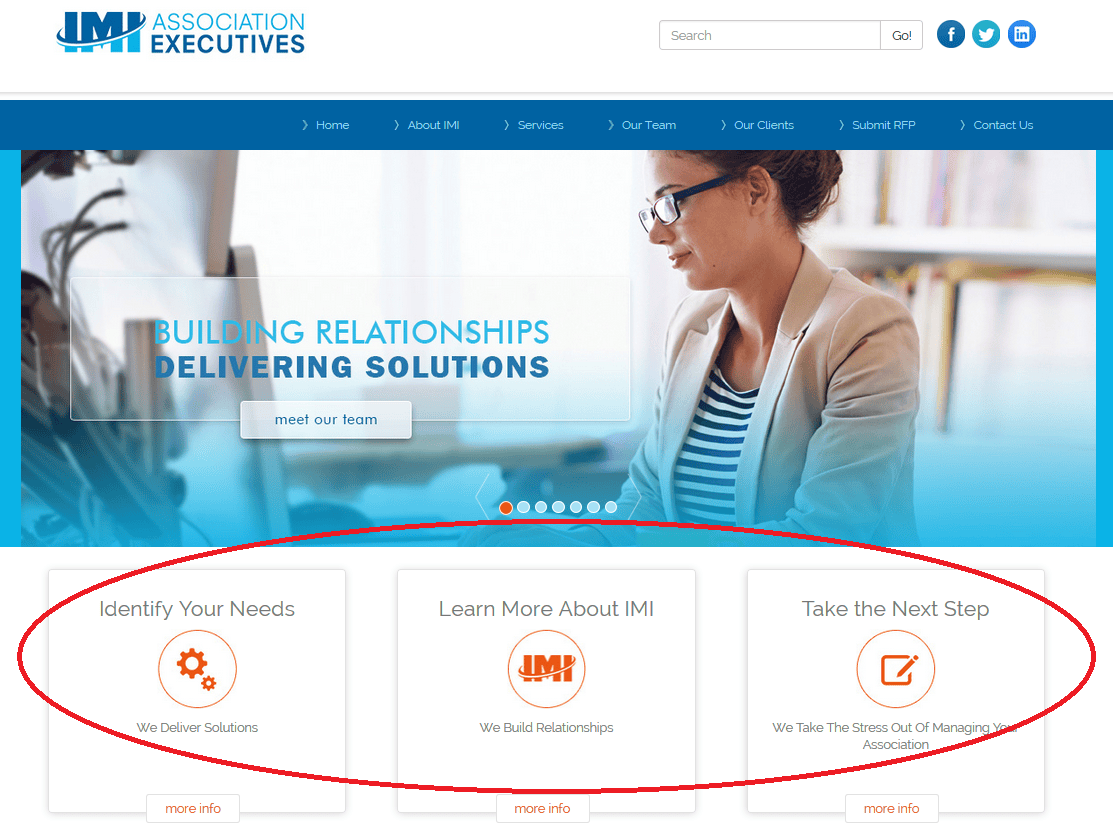
The three easy buttons on the front page help visitors navigate to the information they need most. Information to identify an association’s management needs, about IMI’s services, or submitting an RFP is only a click away!
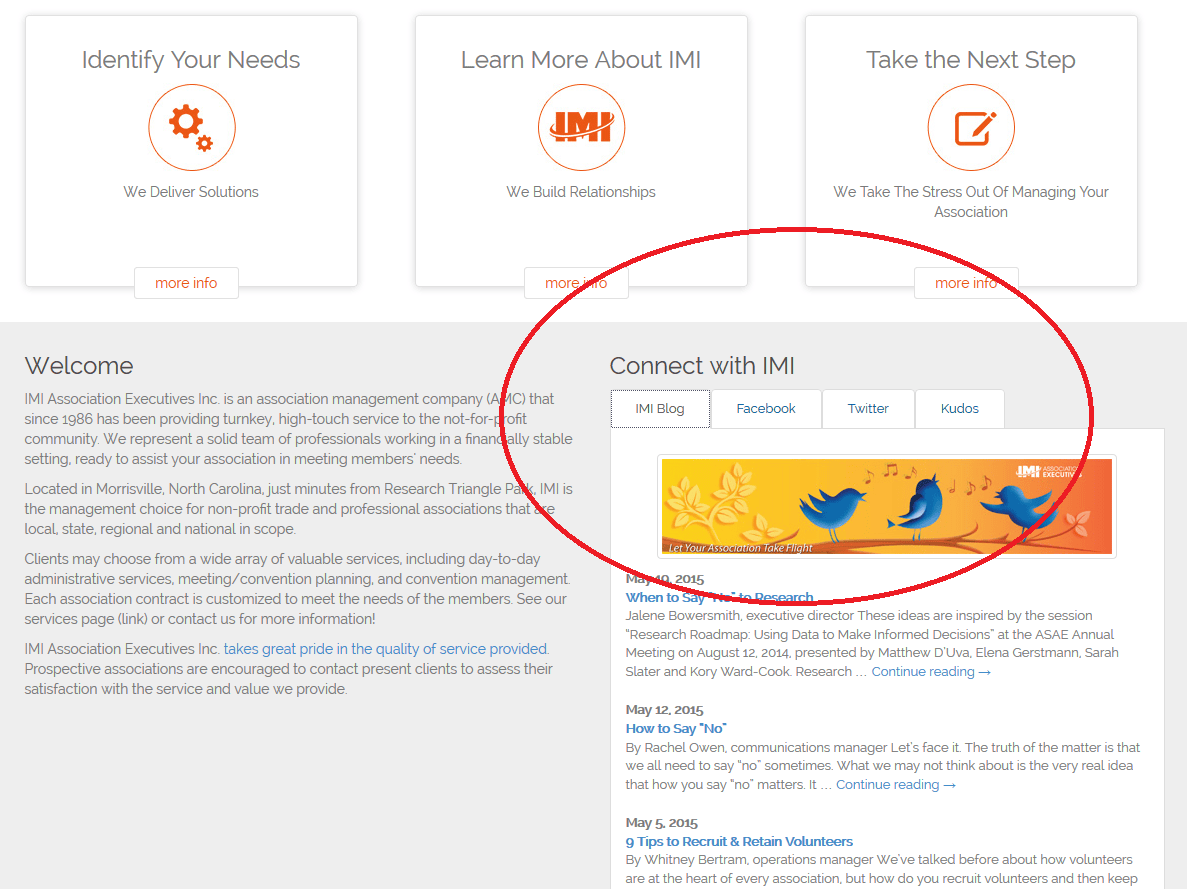
Also on the front page is the Connect with IMI feature which provides quick access to just a few of IMI’s educational resources through our blog and social media feeds.
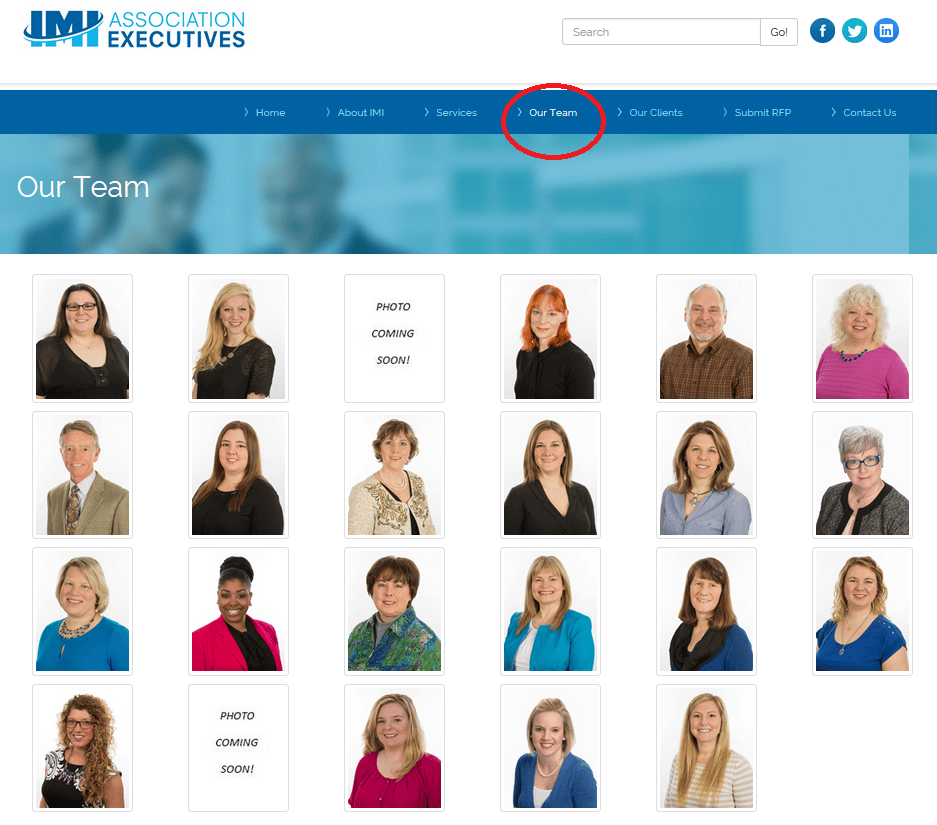
Speaking of IMI’s great team that created the new website, check out the “Our Team” tab! Within you’ll find pictures and brief bios of our team members who are the strength of our organization.
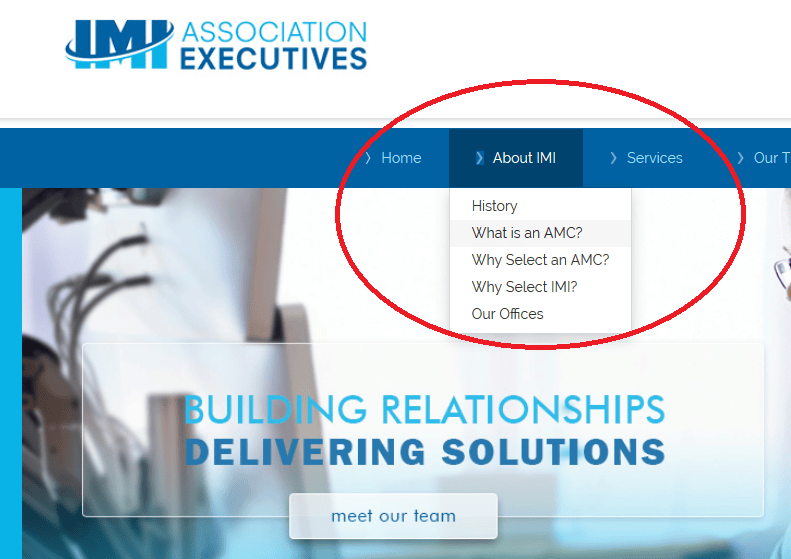
For organizations that may be new to the realm of association management, the “About IMI” tab features information on association management and what benefits association management companies (AMCs) provide to associations.
For more information on the new website you may read our press release.
The website redesign is just one practical example of how we are continuously improving the services we provide. Please take a moment to tell us what you think about the new website. Are there other resources you’d like to see on IMIAE.com? Let us know in the comments below!
These ideas are inspired by the session “Research Roadmap: Using Data to Make Informed Decisions” at the ASAE Annual Meeting on August 12, 2014, presented by Matthew D’Uva, Elena Gerstmann, Sarah Slater and Kory Ward-Cook.
Research is one of the best ways to make informed decisions about changes in your organization, but is research always the right step to take?
When Should You Say “No” to Research?
When research is just a delay tactic. Do you already have a great information base and the time is right to make a decision? It’s possible the request for more research at this time is just to delay decision making. It might be time to gently direct the board or committee away from research and towards a decision.
When moving forward just makes sense. Will the research provide very little benefit? Do you have a viable solution and an upcoming deadline? In these and in other cases, sometimes just moving forward makes sense.
When there is a quicker, easier way to get what you need. Rather than a costly professional survey, can you gather the needed information from a quick poll on social media? Can a small set of volunteers provide relevant information faster? Could some simple A/B testing help determine the best path?
When you’re not ready. Before you pay for a professional survey, or otherwise engage in time intensive research, make sure you have clearly defined goals. You need a research roadmap to make sure you aren’t researching on the fly and that you will stay within your budget. You don’t want to complete your costly survey and then realize you need further research to gather the needed information.
If you think it might be time to say “no” to research, check out these ideas on how to make your “no” a positive message.